Your employee needs two things to be able to clock in and out using the web browser and the TimeMoto Cloud mobile app.
1. Your employee needs a login
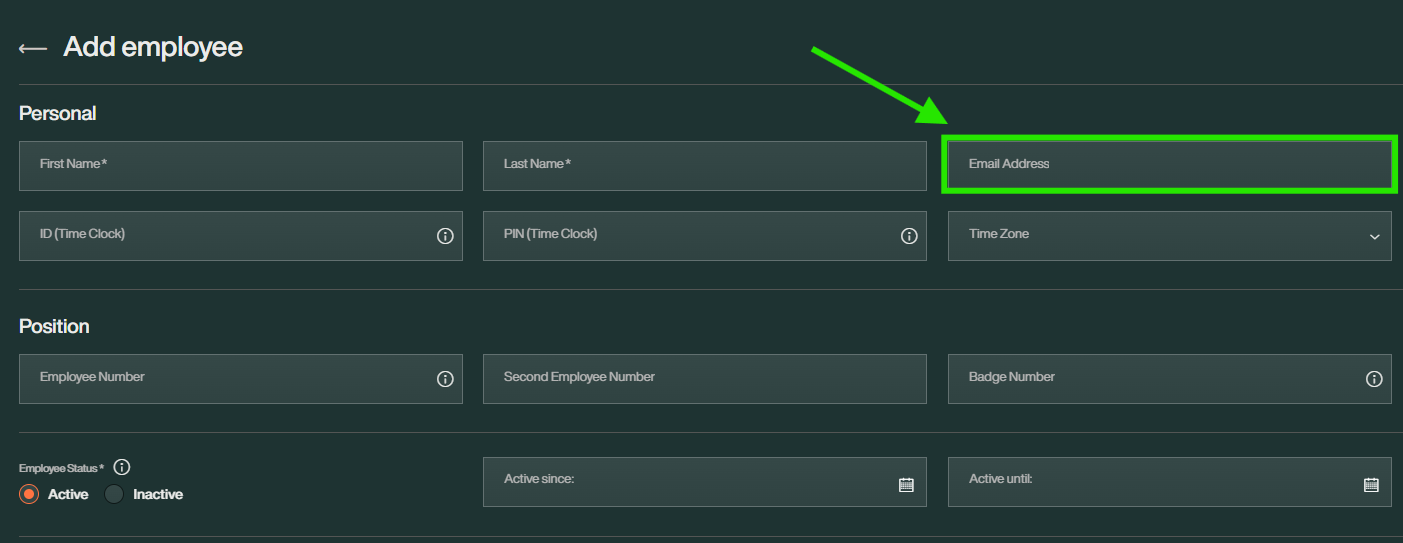
To access their account via a web browser or mobile app, your employee needs login credentials. For that to happen, make sure you have added their email address to their employee account. Find more information in this article.
2. Allow online clocking
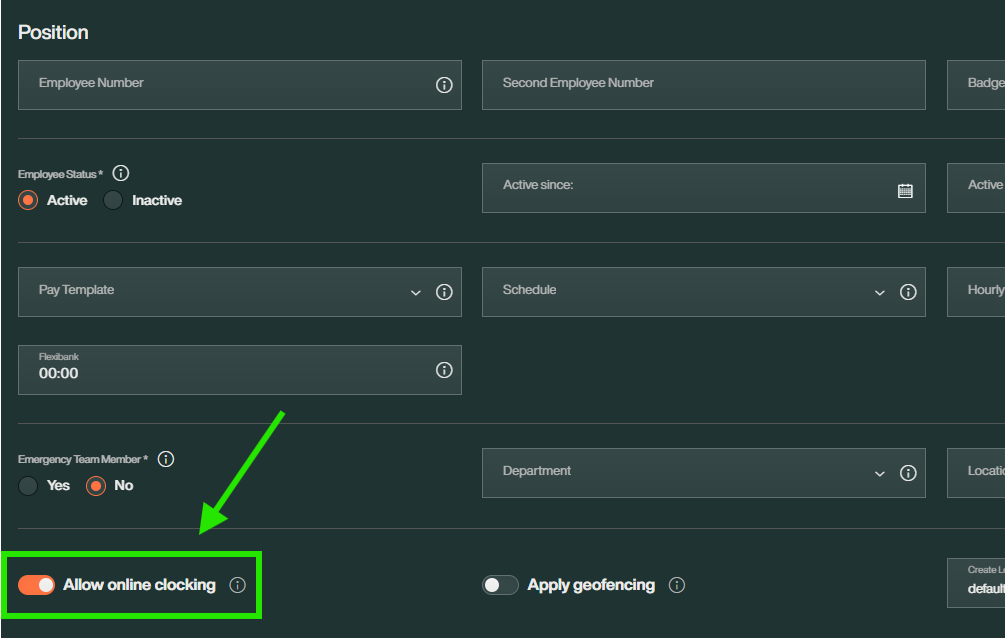
When adding a new employee or editing your employee's settings, don't forget to toggle on the switch [Allow online clocking] at the bottom of the settings.
Note: Remember that clocking via mobile app requires TimeMoto to have access to the device's location.
Any questions?
Take a look at our Glossary or reach out to us via the Contact Form.
Comments
0 comments
Article is closed for comments.