Yes. The TimeMoto RF-150 RFID Reader can be used in combination with TimeMoto Cloud. The device reads & registers RFID cards directly at your PC so that you can insert the badge number in the employee settings. It reads TimeMoto RF-100 RFID Badges and RF-110 RFID Key fobs with 125 kHz frequency.
How to use the RF-150 RFID Reader?
You will need a PC with Windows 7, 8, 10 or 11 and a USB port (type A). Connect the RF-150 RFID Reader with the included USB cable to your PC.
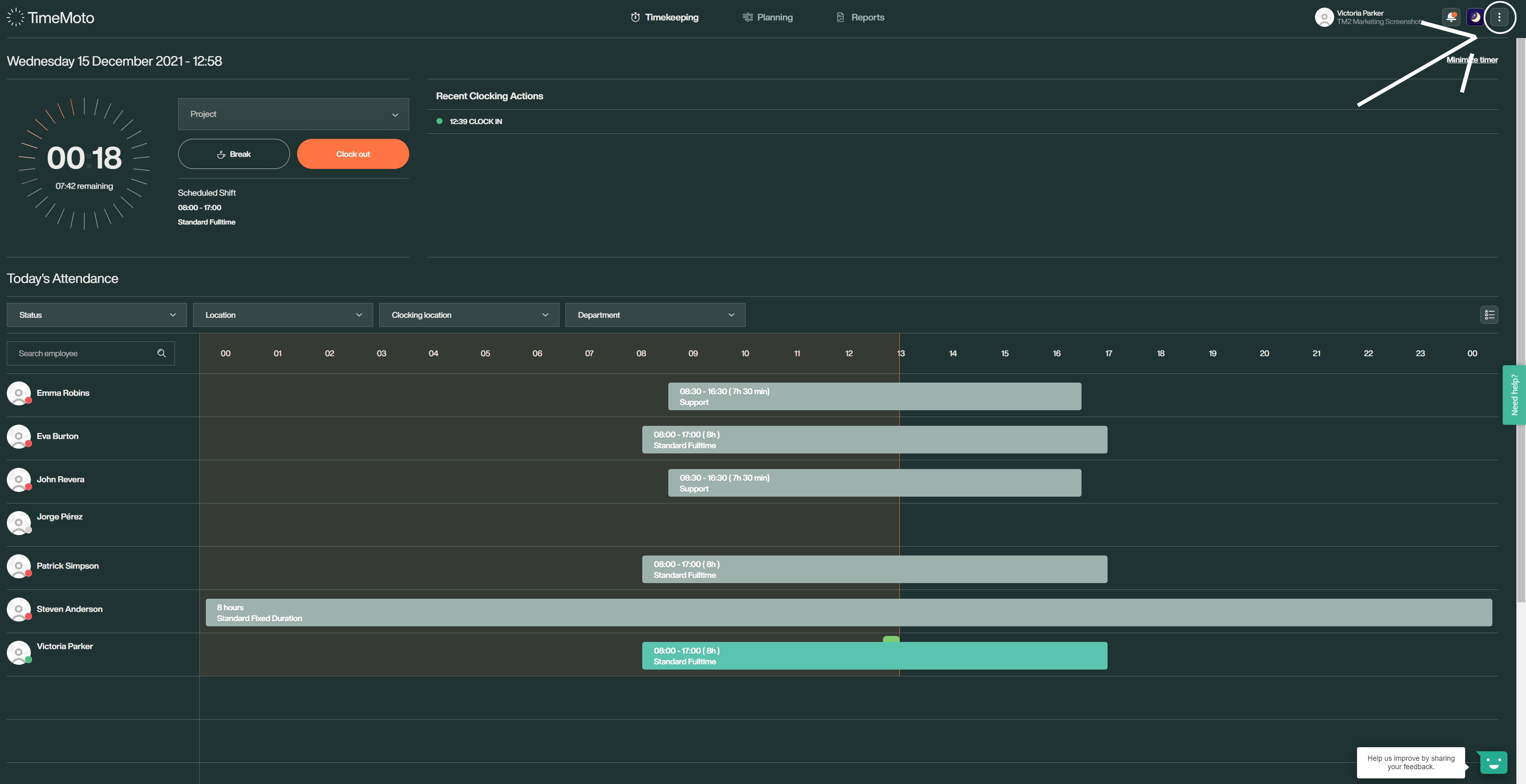
Now open the settings of the employee whose card you'd like to register. You can access it the fastest by opening the settings in the dropdown menu in the top left and then selecting the section [Employees] on the left side.
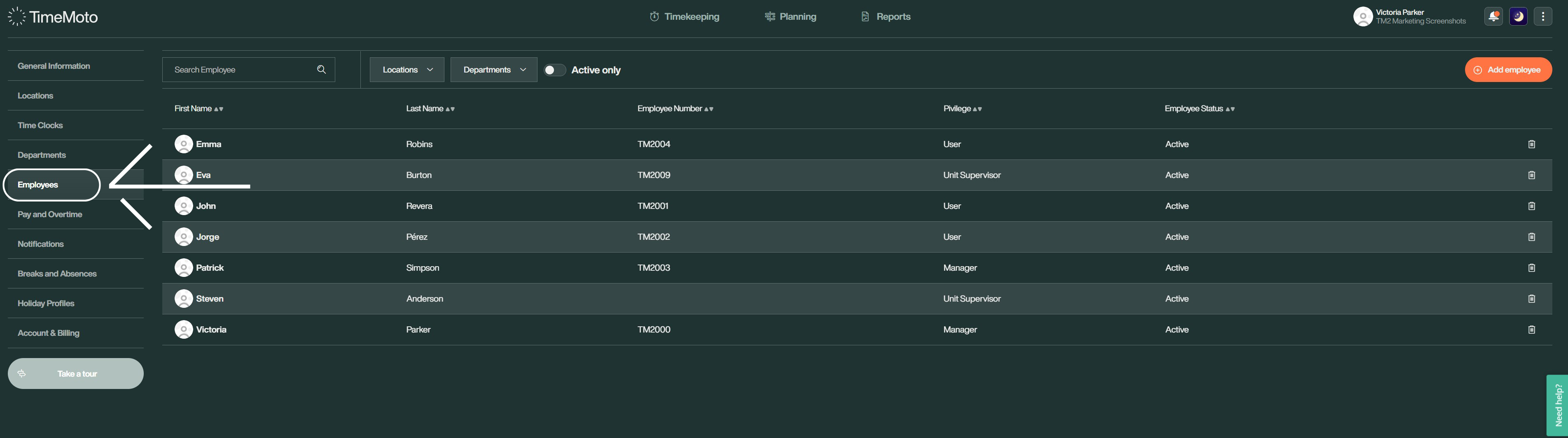
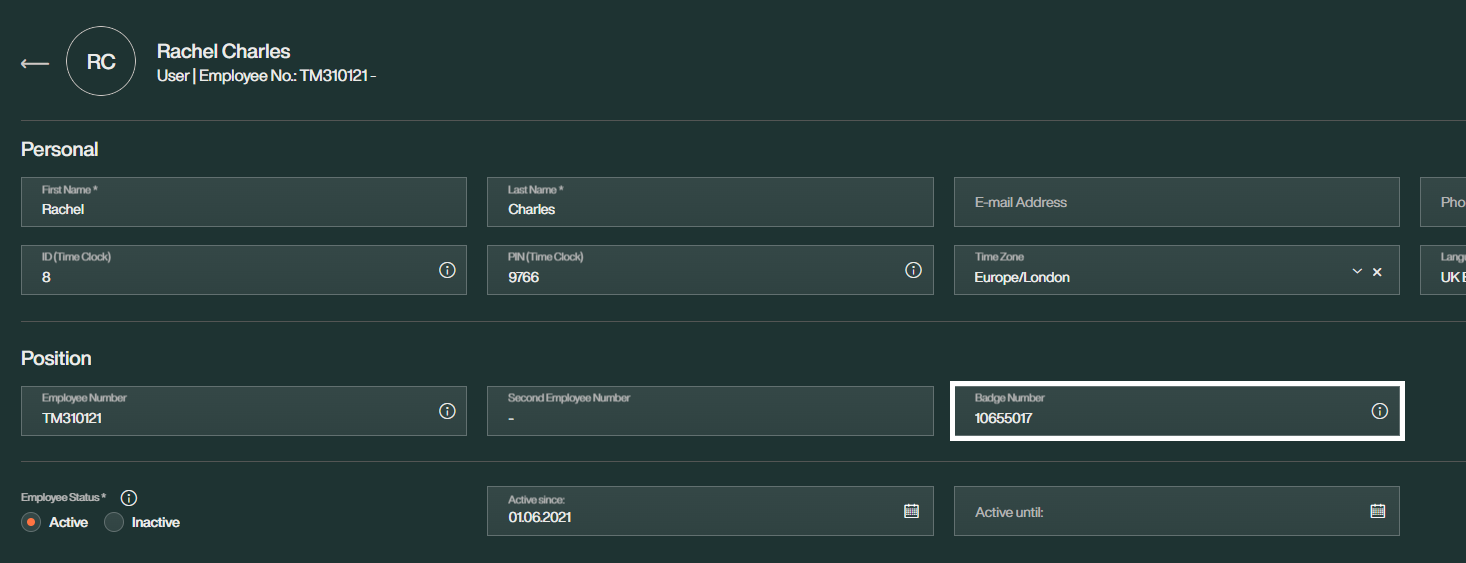
Once you click on the employee in question, navigate to the box [Badge Number] under the section Position. Make sure the cursor in the box is blinking.
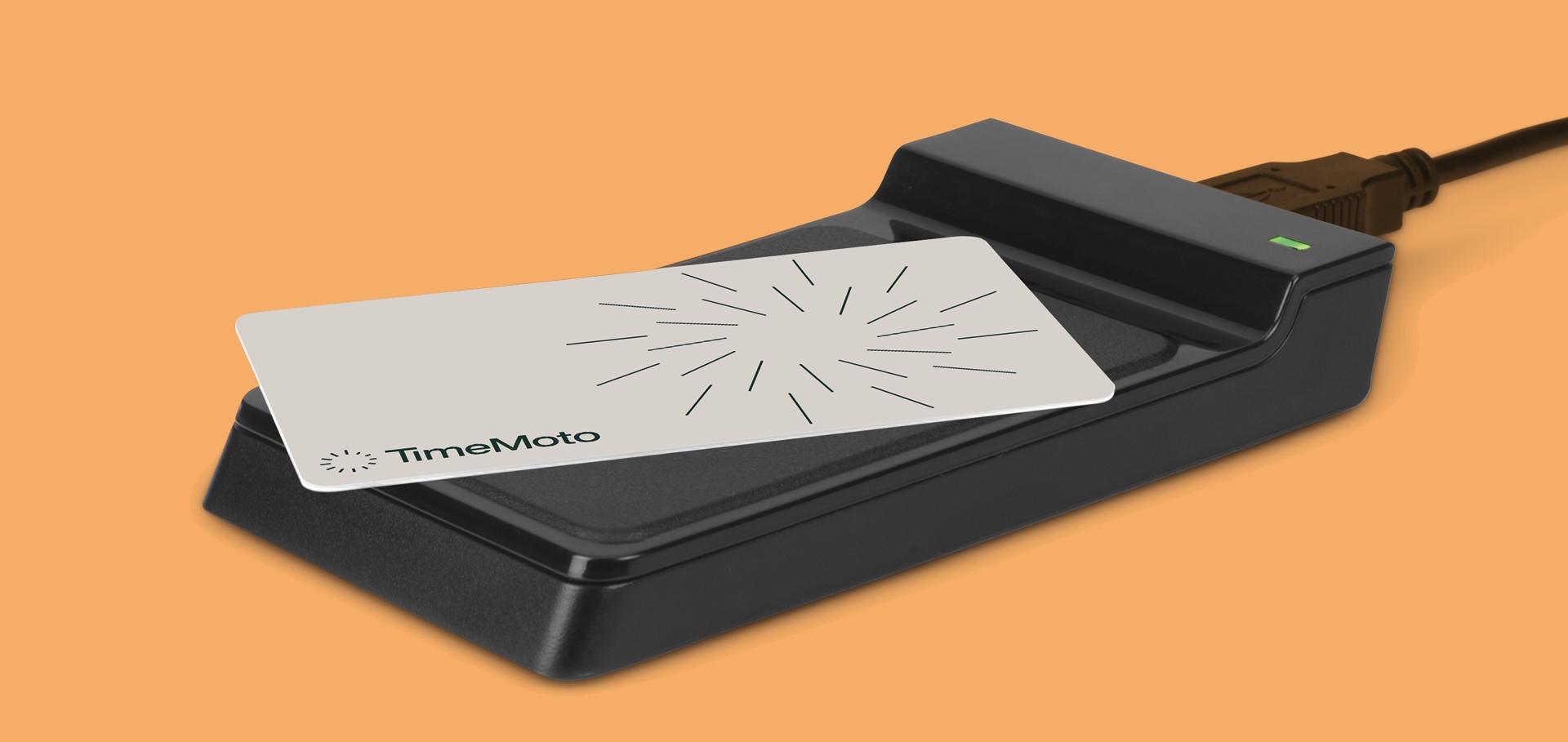
Hold the employee's RFID card (or key fob) against the RFID reader. The reader scans the card and automatically enters its number into the box.
If you see the number appear in the box, click save to confirm your settings.
Note: Remember that you can only use each RFID card once per employee at the same time. If you want to reuse an RFID card for a different employee, remove the Badge number from the former employee's account first and synchronise the info with all connected time clocks.
Any questions?
Looking for answers but not sure where to start? Check out our Glossary! It's a great resource to help you find the information you need. If you need further assistance, please contact us via the Contact Form.
Comments
0 comments
Please sign in to leave a comment.